Write quotations, orders and invoices – as PDF for sending and as XRechnung for mandatory e-invoicing in business transactions and with public-sector clients in Germany.
Features
Customers with customer number, address, e-mail, VAT ID, Leitweg-ID (public authorities), receivables account, payment terms and cash discount; customers with documents are deactivated instead of deleted
Items with unit (UN/ECE code for XRechnung), net price, VAT rate, tax category and revenue account – items are templates, later price changes leave existing documents unchanged
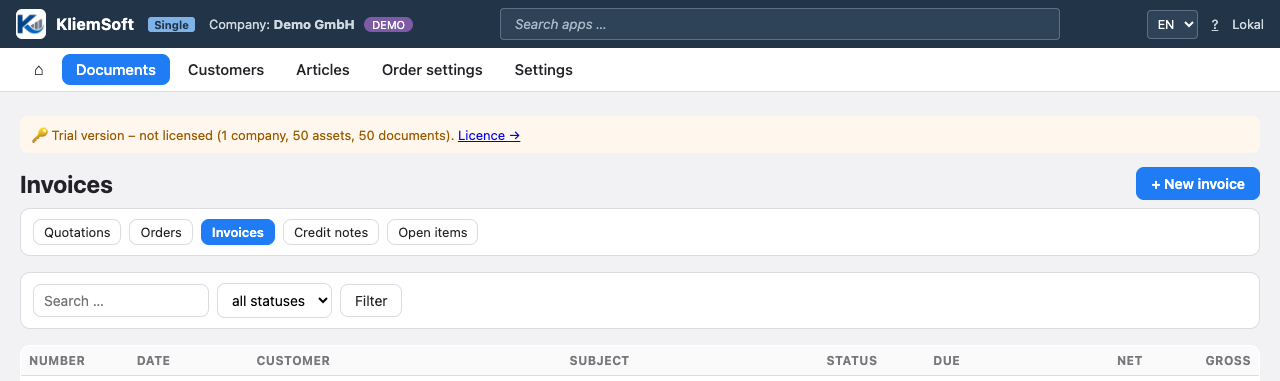
Document flow quotation → order confirmation → invoice with transfer of all line items; documents stay linked, the document list filters by type, status and search term
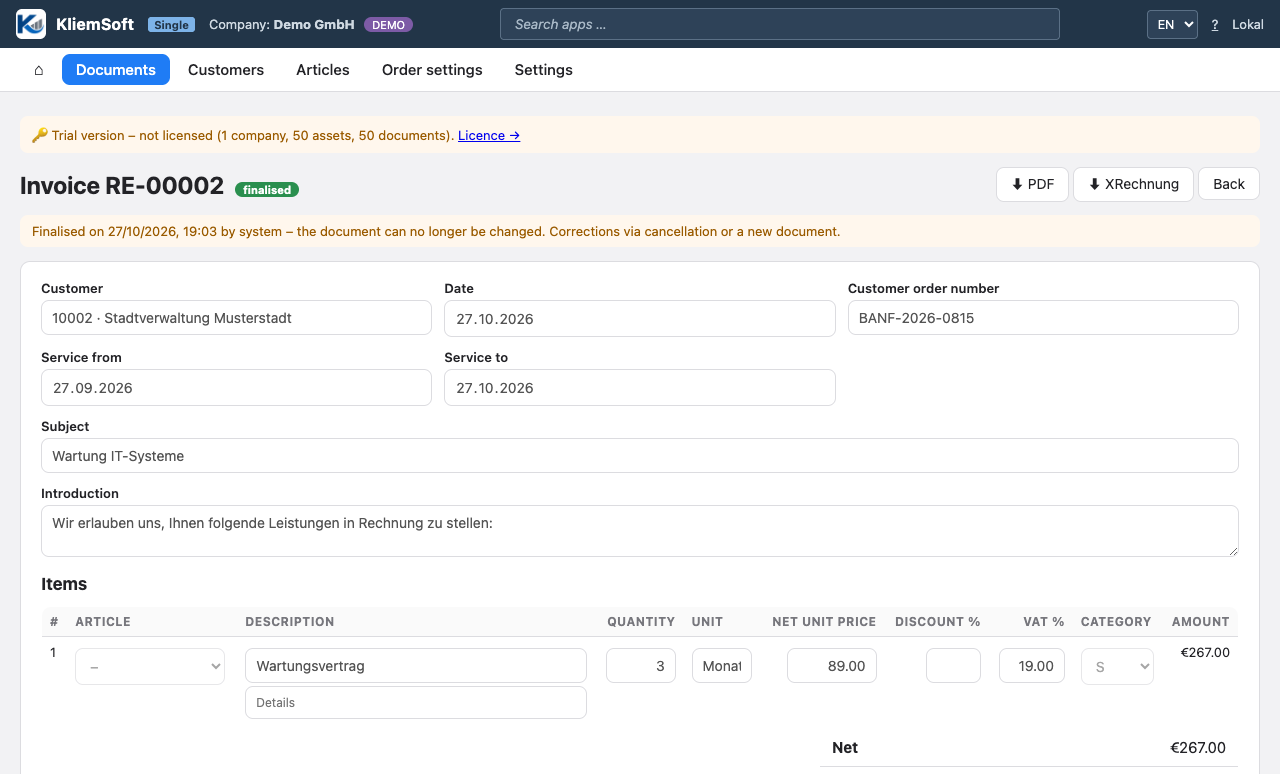
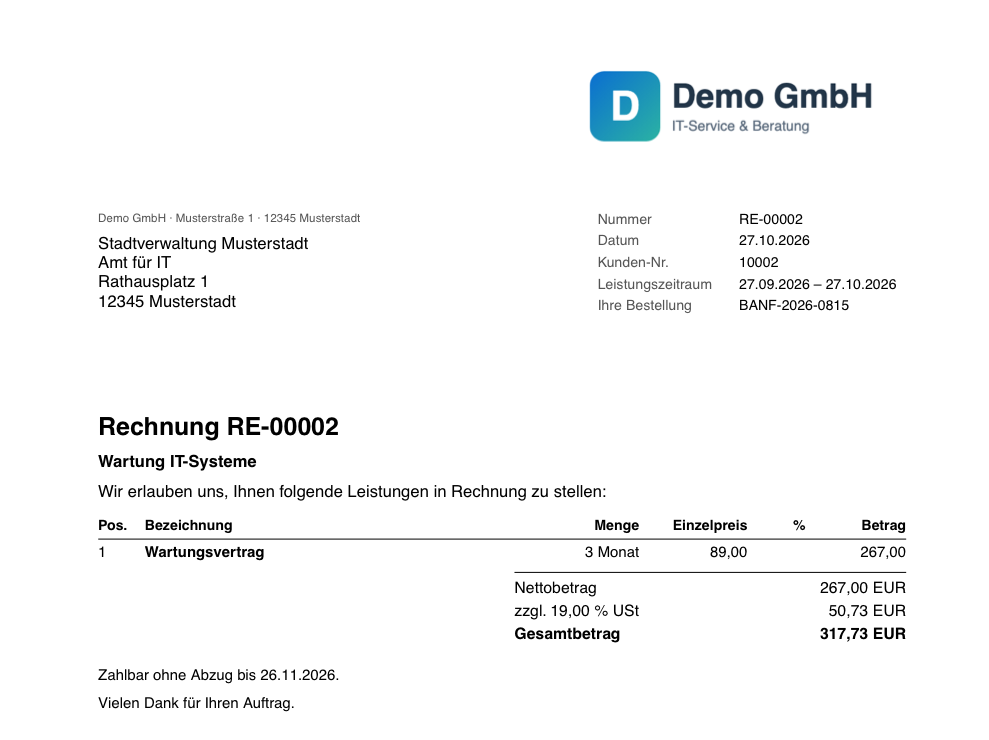
Line items with quantity (including fractions such as 6.5 hours), discount and individual VAT rate; invoices according to EN 16931 (VAT per rate on the total – PDF and XRechnung always match)
Tax cases: standard rate, zero rate, tax-exempt, reverse charge (§ 13b UStG), intra-community supply and small business (§ 19 UStG) with the corresponding note on the document
GoBD: gapless number ranges per document type, assigned only on completion; completed documents cannot be changed; cancellation as a credit note referencing the invoice; change log with hash chain
Incoming payments and open items with due date, payment terms and cash discount
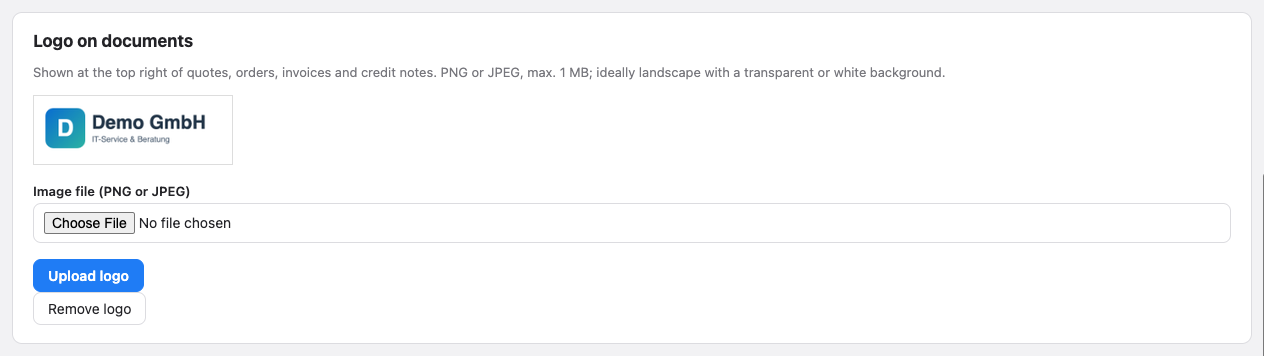
Document PDF with address field for window envelopes, VAT per rate, payment and discount text, bank and tax number – optionally with your company logo
XRechnung 3.0 (UBL) for invoices and credit notes, with Leitweg-ID for public-sector clients; KliemSoft names missing mandatory information instead of creating an invalid file
PRO: roles administrator, accountant and auditor (read-only)
Views
Document list by type (quotations, orders, invoices, credit notes, open items) with status and totalsCompleted invoice – PDF, XRechnung, incoming payment or cancellation with one clickThe PDF: logo, address field for window envelopes, VAT per rateLogo per company under master data → company
The user interface can be switched between English and German at any time; the sample data is German. Documents such as the invoice PDF are currently issued in German.
How you work
Set up once: company details, contact, bank, logo and number ranges
Create customers and items – or create the customer with the first document
Write a quotation and send it as PDF; if the customer accepts, turn it into an order confirmation and invoice with one click
Complete the invoice, send the PDF or XRechnung to the customer, record the incoming payment
The sample company of the trial version contains this workflow with customers, items and documents to try out.
Who it is for
Freelancers, service providers and small businesses who write their own quotations and invoices and need to issue e-invoices – alone (Single) or in a team with roles (PRO). Order processing can be licensed on its own or combined with fixed asset accounting and switched on or off per company.
Planned
E-mail sending from KliemSoft, ZUGFeRD (PDF with embedded XRechnung), DATEV export of outgoing invoices, dunning, partial and progress invoices, recurring invoices and documents in English. Until then, you send the PDF or XRechnung from your e-mail program and pass the invoices on to accounting as usual.
 KliemSoft